




PCAN-Explorer 6: CANdb Import Add-in 6
Use your existing CANdb files in PCAN-Explorer 6 instead of retyping them
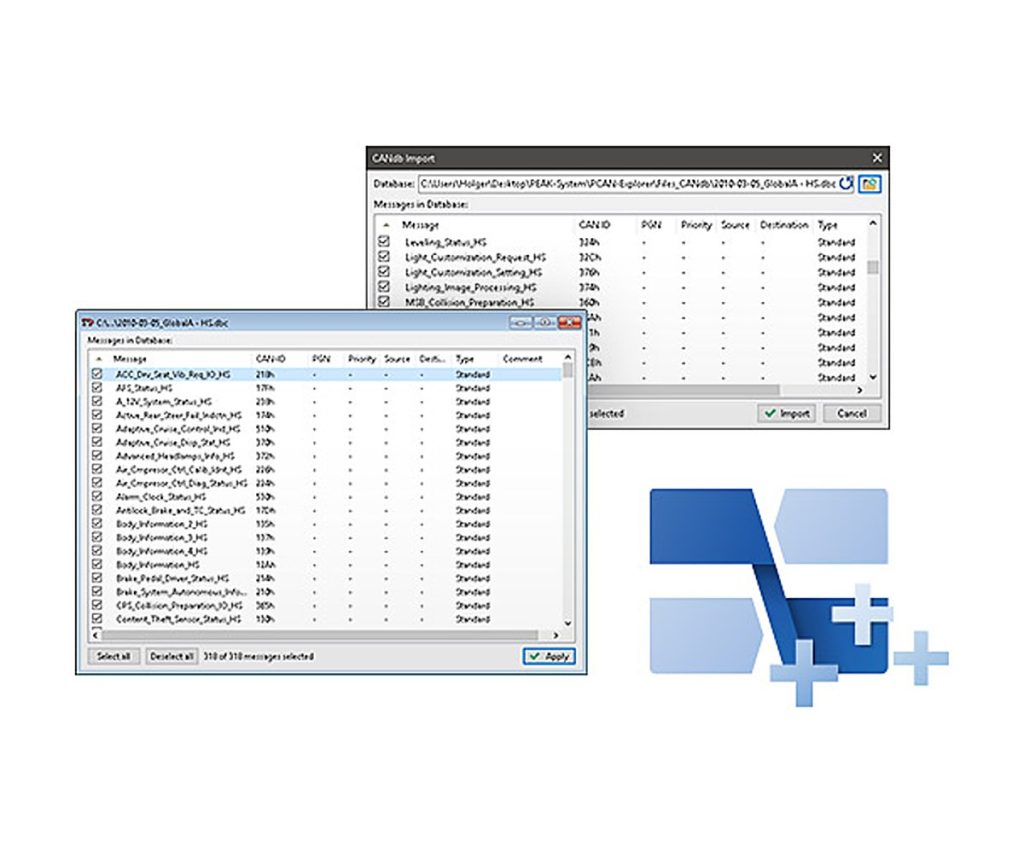
Many vehicle and machine projects already describe their CAN messages in CANdb (.dbc) files. This add-in lets PCAN-Explorer 6 open those files directly, so you do not have to copy the definitions by hand into the PCAN-Explorer symbol format.
You pick which messages from the database you want to use, and the selection is kept in the PCAN-Explorer project. The data can also be saved as a PCAN-Explorer symbol file.
Highlights
- Opens CANdb (.dbc) files in PCAN-Explorer 6
- Choose which messages of the database to use
- Selection stored with the PCAN-Explorer project
- Saves to the PCAN-Explorer symbol format
Requirements
- PCAN-Explorer 6 (licensed)
- Windows 11 (x64/ARM64) or Windows 10 (x86/x64)
- A free USB port for the installation stick and the copy protection dongle
Key Specifications
| Spec | Value |
|---|---|
| Order number | IPES-006086 |
| Base product | PCAN-Explorer 6 (required) |
| File format | CANdb (.dbc) |
| Operating system | Windows 11 (x64/ARM64), Windows 10 (x86/x64) |
| Licence | Single computer licence or portable licence with USB copy protection dongle |
| Delivery | USB stick |
In the Box
- Licence (single computer or USB dongle)
- Installation files for the CANdb Import Add-in
- Documentation in HTML help format
This add-in extends PCAN-Explorer 6 and needs a licensed PCAN-Explorer 6 installation. Other add-ins for PCAN-Explorer 6: Plotter Add-in 6, Instruments Panel Add-in 6, J1939 Add-in 6.
In PCAN-Explorer 7, the same job is done by the Bus Descriptions Add-in, which also reads AUTOSAR XML.
For quantities, lead time or a quote, contact Pertech.
