




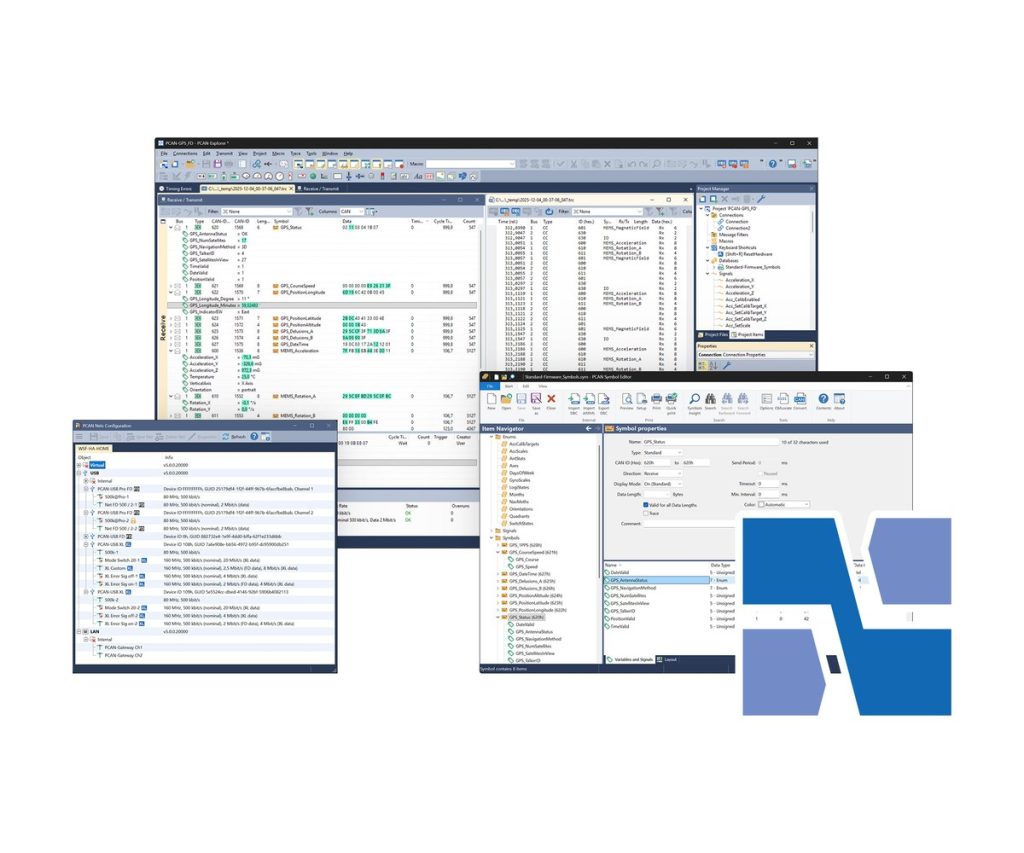
PCAN-Explorer 7
Monitor, decode, record and simulate CAN CC, CAN FD and CAN XL traffic from one Windows tool
PCAN-Explorer 7 is the PEAK-System workbench for engineers who work on CAN networks every day. It connects to up to 64 buses at once, shows the traffic in receive and transmit lists, and lets you send messages by hand or on a cycle to drive the bus for control tasks and simulations. Symbol files, or third-party databases through an add-in, turn raw IDs and hex bytes into named messages and signals.
Traces can be recorded from several buses at the same time and played back later, step by step or with breakpoints. For repetitive work, macros, Python, VBScript and native 64-bit callback libraries reach almost every part of the program. Version 7 adds CAN XL, a 64-bit core and a new licence model based on Wibu CodeMeter.
Highlights
- CAN CC, CAN FD and CAN XL (ISO 11898-1:2024), up to 64 buses at once
- Symbolic view of messages and signals from PEAK Symbol files or .dbc/.arxml databases
- Multiple tracers and playbacks in parallel, with filters, breakpoints and single-step
- Automation with macros, Python, VBScript and 64-bit callback DLLs
- UDS Transmitter and UDS Downloader add-ins (beta) for diagnostics over ISO-TP
- Single user or floating licence, on the PC or on a USB dongle, 12 months maintenance included
Editions and order numbers
- IPES-007000: Single User Licence
- IPES-007100: Single User Licence, Full Bundle
- IPES-007200: Floating Licence
- IPES-007300: Floating Licence, Full Bundle
- The Full Bundle adds all four PCAN-Explorer 7 add-ins: Plotter, Instruments Panel, Bus Descriptions and J1939
- Optional Wibu licence dongle: IPES-007090 (USB-A) or IPES-007091 (USB-C)
Licensing
- Single user: tied to one computer, unlimited offline use once activated
- Floating: a licence server on your own computer shares licences across the network, VPN included, with borrowing for offline use of up to 30 days
- Both types can be bound to the computer or to a portable Wibu USB dongle and are managed with the PEAK License Manager
- Licences are perpetual; the first 12 months of maintenance (updates, fixes and new major versions) are included and can be renewed
- PEAK offers a free 30-day trial floating licence that includes all add-ins
Bus connection
- Nominal bit rates up to 1 Mbit/s, CAN FD data rates up to 8 Mbit/s
- CAN XL data rates up to 8 Mbit/s in CAN FD compatible mode, up to 20 Mbit/s with the transceiver mode switch
- CAN XL with or without error signalling; CAN XL send messages with SDT selection to CiA 611-1, such as tunnelled CAN FD frames
- Custom bit rates with automatic register calculation, listen-only per connection, hardware reset of the interface
- Several CAN interfaces of different types can be used at the same time
Analysis and recording
- Receive time stamps to 1 µs, transmit timing to 1 ms
- Recording to file or to RAM (linear, dynamic or circular buffer), saved as TRC or CSV
- MDF4, ASC and BLF handled through the free PEAK-Converter
- Filters by channel, ID range, code/mask, symbols, error types, J1939 fields and CAN XL fields, on live traces or saved files
- Watch window for live signal values; bus load available as a signal per connection
Requirements
- Windows 11 (x64/ARM64) or Windows 10 (x64)
- A PEAK-System PC CAN interface, with CAN FD or CAN XL support where needed
- For a portable licence: a USB port for the dongle (USB-A or USB-C)
- Internet connection recommended for activation
Key Specifications
| Spec | Value |
|---|---|
| Order number | IPES-007000 (single user); see editions for floating and Full Bundle |
| Buses | CAN CC, CAN FD, CAN XL; up to 64 connections |
| Operating system | Windows 11 (x64/ARM64), Windows 10 (x64) |
| Hardware | PEAK-System PC CAN interface |
| Automation | Macros, Python (embedded), VBScript, 64-bit callback DLLs |
| User interface | English, German or French |
| Licence | Perpetual single user or floating (Wibu CodeMeter), on PC or USB dongle |
| Delivery | Download |
In the Box
- PCAN-Explorer 7 installation files, including Wibu CodeMeter
- Licence as ordered (single user or floating, standard or Full Bundle)
- 12 months software maintenance
- PCAN-Symbol Editor for Windows
- Documentation in HTML format
Add-ins: Plotter Add-in, Instruments Panel Add-in, Bus Descriptions Add-in, J1939 Add-in. Users of the previous version can find PCAN-Explorer 6 here.
For a CAN XL connection, pair it with the PCAN-USB XL.
For quantities, lead time or a quote, contact Pertech.
