



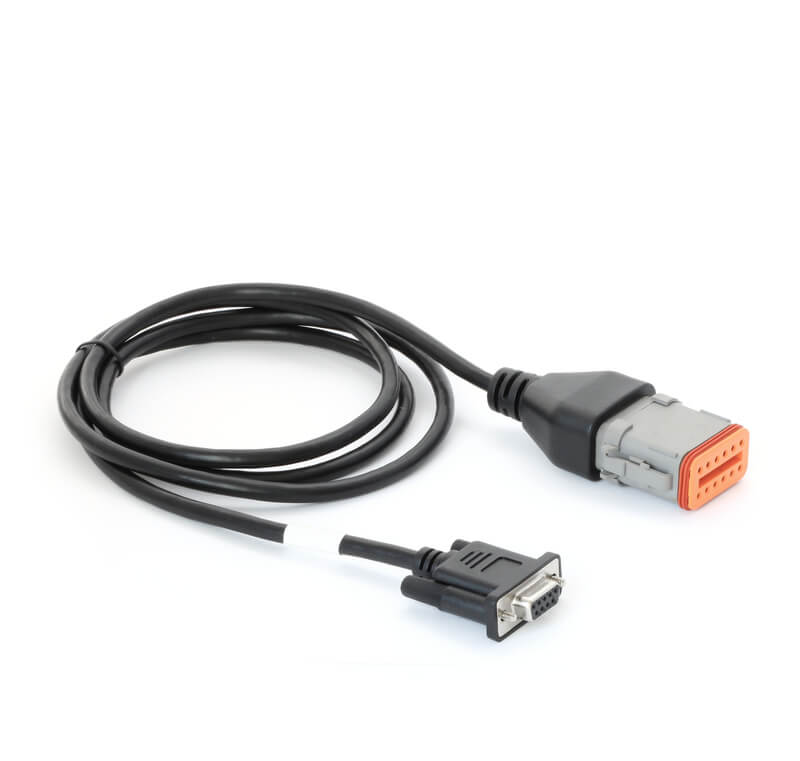
Komatsu 12-Pin to DB9 Cable
Komatsu heavy-duty trucks, including many mining vehicles, expose their J1939 network on a 12-pin diagnostic connector. This 1.5 m adapter brings that connector to a DB9 plug, so a CANedge logger or a CANsub interface can connect straight to the CAN bus.
The 12-pin socket is usually in the cab, often behind a panel. Only four of its pins are used: CAN-H on pin 3, CAN-L on pin 10, power on pin 1 and ground on pin 12. They are mapped to the CiA 303-1 DB9 layout used by CSS Electronics devices.
Highlights
- Komatsu 12-pin (female) to DB9 female
- Plug-and-play access to the J1939 bus on many Komatsu trucks
- Vehicle power to DB9 pin 9 for the logger
- 1.5 m, 22 AWG (0.5 mm²), overmolded cable; 150 g
- RoHS compliant
Pin-out
| Komatsu pin | Signal | DB9 pin |
|---|---|---|
| 10 | CAN 1 L | 2 |
| 3 | CAN 1 H | 7 |
| 1 | Power (VCC) | 9 |
| 12 | GND | 3 |
DB9 pins follow CiA 303-1. Other pins are not connected.
Typical applications
- Mining haul trucks: record all broadcast J1939 data from Komatsu trucks as the basis for a telematics setup
- Mixed fleets: cover the Komatsu units with this cable and the other heavy-duty vehicles with the standard J1939-to-DB9 cable
- Wireless diagnostics: a CANsub.2 and a WiFi router on the truck let field staff stream and decode J1939 data in webCAN, in the browser, without entering the cab
Key Specifications
| Spec | Value |
|---|---|
| Connectors | Komatsu 12-pin (female) to DB9 female |
| DB9 pin-out | CiA 303-1 (CAN-L 2, GND 3, CAN-H 7, power 9) |
| Cable length | 1.5 m |
| Wire gauge | 22 AWG (0.5 mm²) |
| Compatibility | High-speed CAN (ISO 11898-2), CAN FD, J1939, NMEA 2000 |
| Operating temperature | -20 °C to +80 °C |
| Weight | 150 g |
| Compliance | RoHS |
Frequently asked questions
Which Komatsu vehicles does it fit?
It fits many Komatsu heavy-duty trucks, for example various mining vehicles, that have the 12-pin connector. Not every model uses it, so check the socket first, or send us a photo.
How do I turn the raw data into readable signals?
Load the J1939 DBC file in your software or in webCAN to decode the raw J1939 frames into named signals.
Which CSS Electronics devices can I connect?
Any CANedge logger or CANsub interface with a DB9 port. For the 4-channel CANsub.4 or the CANmod.router, add the DB25-to-4x DB9 adapter cable.
Need a quote or help choosing the right setup? Contact Pertech, the authorized CSS Electronics distributor in Israel.
