




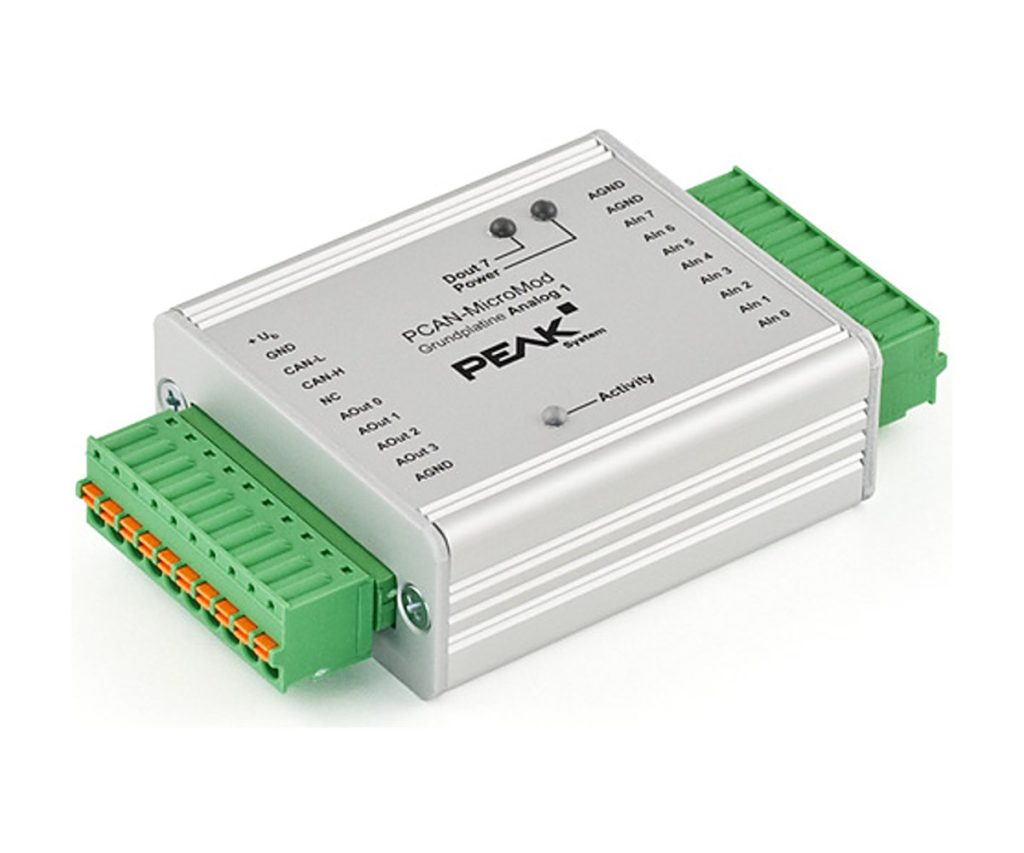
PCAN-MicroMod Analog 1 & 2
Ready-made PCAN-MicroMod board for analog inputs and outputs over CAN
These motherboards put a PCAN-MicroMod into an aluminium casing with spring terminals and add the protection and wide supply range a real installation needs. The Analog boards are aimed at general analog measurement and control over CAN.
PEAK lists Analog 1 (IPEH-002204) as no longer available, so the version you can order is Analog 2, with 16-bit bipolar inputs and 12-bit DAC outputs. All settings are made in the PCAN-MicroMod Configuration software, and CANopen firmware is also available for the board.
Highlights
- 8 analog inputs, -10 to +10 V, 16-bit (Analog 2)
- 4 analog outputs, 0 to 10 V, 12-bit DAC, 20 mA per channel (Analog 2)
- Input protection against under- and overvoltage, short-circuit-proof outputs
- Configured over CAN in PCAN-MicroMod Configuration
- Aluminium casing with spring terminals, -40 to 85 C
Versions
- IPEH-002207: PCAN-MicroMod Analog 2: 8 bipolar inputs -10 to +10 V, 16-bit, sample rate 2 kHz divided by the number of channels used, low-pass behaviour; 4 outputs 0 to 10 V from a 12-bit DAC, 20 mA each; supply 11 to 30 V
- IPEH-002204: PCAN-MicroMod Analog 1, listed by PEAK as no longer available: 8 unipolar inputs 0 to 5 V, 10-bit, 1 kHz; 4 outputs 0 to 10 V from 8-bit PWM, 15 mA each; supply 11 to 26 V
Key Specifications
| Spec | Value |
|---|---|
| Order number | IPEH-002207 (Analog 2) |
| CAN | High-speed CAN (ISO 11898-2), CAN 2.0A and 2.0B, 10 kbit/s to 1 Mbit/s |
| Configuration | PCAN-MicroMod Configuration for Windows, sent over CAN |
| Analog inputs | 8, bipolar -10 to +10 V, 16-bit |
| Analog outputs | 4, 0 to 10 V, 12-bit DAC, 20 mA per channel, short-circuit protected |
| Supply | 11 to 30 V |
| Casing | Aluminium with spring terminals; DIN rail fixing optional |
| Operating temperature | -40 to 85 C |
In the Box
- PCAN-MicroMod motherboard in casing with mating connectors (Phoenix Contact FK-MCP 1,5/10-ST-3,81, 1851122)
- PCAN-MicroMod plug-in module
- PCAN-MicroMod Configuration software for Windows
- Manual (PDF)
Setting up the module over CAN needs a PEAK CAN interface such as the PCAN-USB FD or the PCAN-USB.
For new designs PEAK points to the PCAN-MicroMod FD Analog 1 as the alternative to Analog 1.
For quantities, lead time or a quote, contact Pertech.
