




Kubota 4-Pin to DB9 Cable
Kubota engines and many Kubota vehicles, such as construction equipment, provide J1939 data on a compact 4-pin connector. This 1.5 m cable adapts that connector to DB9, so you can plug in a CANedge logger or CANsub interface and start recording engine data.
The cable uses all four pins of the Kubota connector: CAN-L, CAN-H, power and ground. Power is routed to DB9 pin 9, so a CANedge needs no separate supply.
Highlights
- Kubota 4-pin (female) to DB9 female
- Fits many Kubota vehicles and engines
- All four pins used: CAN-L, CAN-H, power, ground
- 1.5 m, 22 AWG (0.5 mm²), overmolded cable; 110 g
- RoHS compliant, CiA 303-1 DB9 pin-out
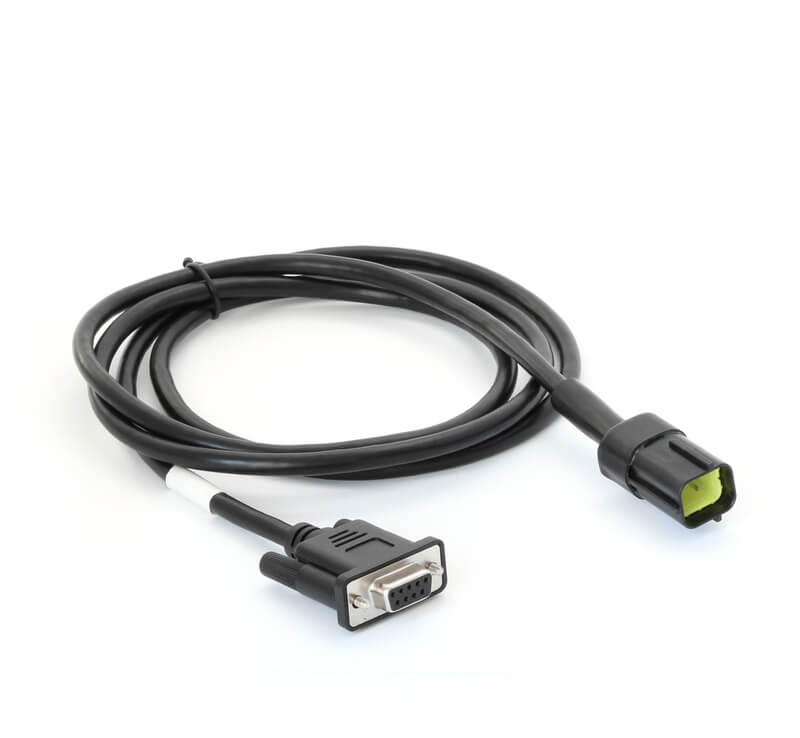
Pin-out
| Kubota pin | Signal | DB9 pin |
|---|---|---|
| 4 | CAN 1 L | 2 |
| 2 | CAN 1 H | 7 |
| 1 | Power (VCC) | 9 |
| 3 | GND | 3 |
DB9 pins follow CiA 303-1. Unused DB9 pins are not connected.
Where it is used
- Engine monitoring: log J1939 data from Kubota engines and Kubota construction equipment
- Equipment fleets: add the Kubota units in a mixed fleet to the same CANedge telematics setup as the rest of the vehicles
- Service visits: connect a CANsub.2 with a WiFi router and stream decoded J1939 data in webCAN from a laptop or tablet
Key Specifications
| Spec | Value |
|---|---|
| Connectors | Kubota 4-pin (female) to DB9 female |
| DB9 pin-out | CiA 303-1 (CAN-L 2, GND 3, CAN-H 7, power 9) |
| Cable length | 1.5 m |
| Wire gauge | 22 AWG (0.5 mm²) |
| Compatibility | High-speed CAN (ISO 11898-2), CAN FD, J1939, NMEA 2000 |
| Operating temperature | -20 °C to +80 °C |
| Weight | 110 g |
| Compliance | RoHS |
Frequently asked questions
Is it for Kubota engines or Kubota vehicles?
Both. CSS Electronics lists it for many Kubota vehicles and engines, for example various construction equipment, that carry the 4-pin connector, usually in the cab or behind a panel.
What if my machine has a 9-pin J1939 socket instead?
Then use the standard J1939-to-DB9 cable. If you are unsure which connector you have, send us a photo.
Can I decode the data?
Yes. The J1939 DBC file converts the raw J1939 frames into physical values, and webCAN can apply it live when you stream through a CANsub.
Need a quote or help choosing the right setup? Contact Pertech, the authorized CSS Electronics distributor in Israel.
