




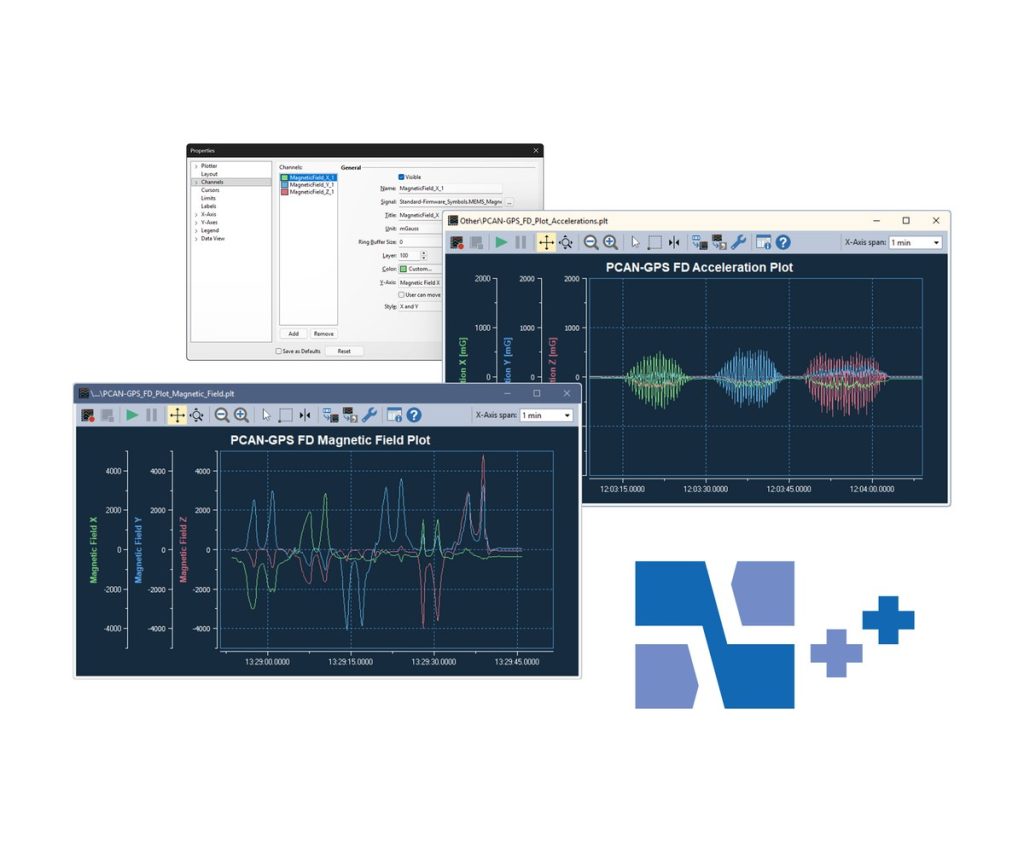
PCAN-Explorer 7: Plotter Add-in
Record and plot CAN signal curves live in PCAN-Explorer 7
The Plotter Add-in draws signals as curves over time while PCAN-Explorer 7 is connected. Signals can come from received or transmitted CAN messages, virtual variables or macro calculations, with no fixed limit on channels or Y-axes.
You can zoom and scroll the axes during a recording and measure with a cursor. Recordings export to CSV, the current view saves as an image, and CAN trace files (.trc) can be imported for plotting. The free PEAK Plot Viewer opens recordings on PCs without PCAN-Explorer.
Highlights
- Real-time curves of CAN signals, virtual variables and macro results
- Unlimited recording channels and Y-axes
- Zoom and scroll during recording, measurement cursor
- Logarithmic and reversible axes, limit values and ranges shown
- CSV export, image export, import of .trc trace files
Order numbers
- IPES-007087: Single user licence
- IPES-007287: Floating licence
Requirements
- PCAN-Explorer 7 with a matching licence
- Windows 11 (x64/ARM64) or Windows 10 (x64), as for PCAN-Explorer 7
Key Specifications
| Spec | Value |
|---|---|
| Order number | IPES-007087 (single user), IPES-007287 (floating) |
| Base product | PCAN-Explorer 7 with matching licence (required) |
| Channels | Unlimited |
| Import and export | Imports .trc; exports CSV and images |
| Licence | Single user or floating |
| Delivery | Download |
In the Box
- Licence (single user or floating)
- Installation files for the Plotter Add-in
An add-in only runs inside PCAN-Explorer 7, so you need a PCAN-Explorer 7 licence of the matching type (single user or floating). It is also part of the PCAN-Explorer 7 Full Bundle. Other add-ins for PCAN-Explorer 7: Instruments Panel Add-in, Bus Descriptions Add-in, J1939 Add-in.
For quantities, lead time or a quote, contact Pertech.
