




PCAN-Explorer 7: Bus Descriptions Add-in
Work with CANdb and AUTOSAR XML databases directly in PCAN-Explorer 7
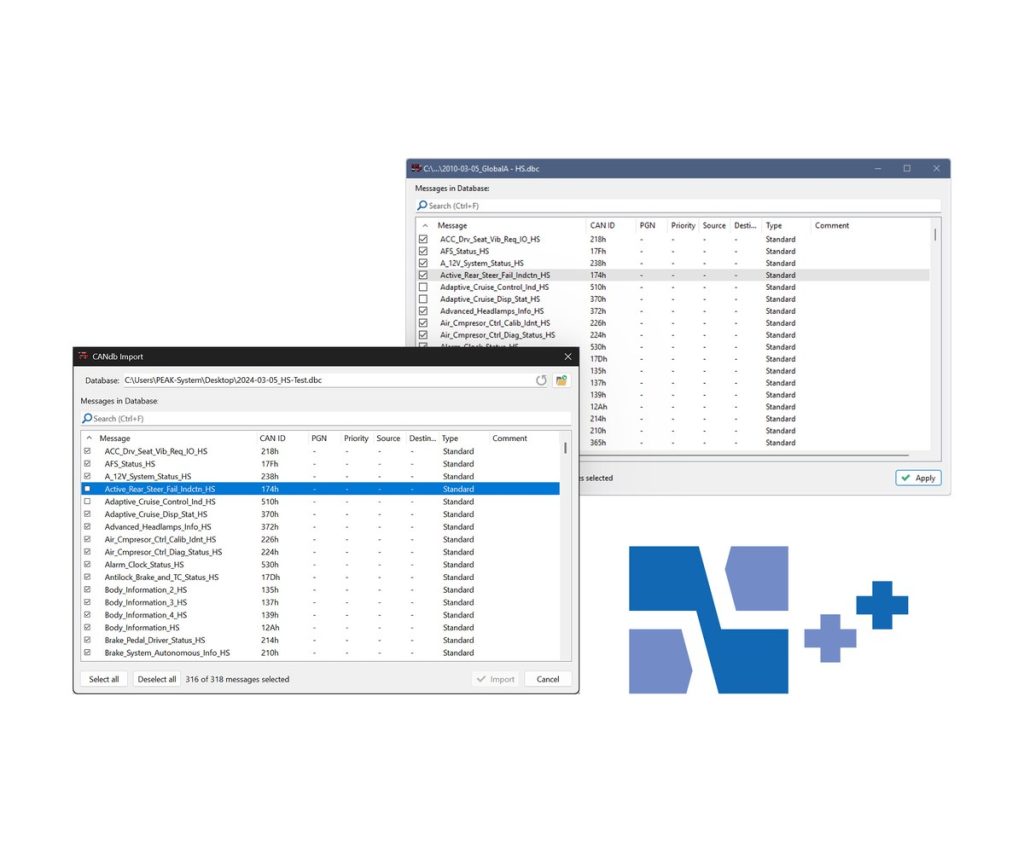
If your CAN messages are already defined in CANdb (.dbc) or AUTOSAR XML (.arxml) files, this add-in lets PCAN-Explorer 7 use them as they are. It combines the earlier CANdb import with new AUTOSAR XML support.
You choose which messages of a database to use and keep the selection in the project. With the PCAN-Symbol Editor you can also convert bus descriptions into the PEAK Symbol format, and export a Symbol file back to CANdb or AUTOSAR XML.
Highlights
- Direct use of .dbc and .arxml files in PCAN-Explorer 7
- Pick the messages you need from a database
- Selection saved in the PCAN-Explorer project
- Import into the PEAK Symbol format
- Export from a Symbol file to CANdb or AUTOSAR XML
Order numbers
- IPES-007086: Single user licence
- IPES-007286: Floating licence
Requirements
- PCAN-Explorer 7 with a matching licence
- Windows 11 (x64/ARM64) or Windows 10 (x64), as for PCAN-Explorer 7
Key Specifications
| Spec | Value |
|---|---|
| Order number | IPES-007086 (single user), IPES-007286 (floating) |
| Base product | PCAN-Explorer 7 with matching licence (required) |
| File formats | CANdb (.dbc), AUTOSAR XML (.arxml) |
| Licence | Single user or floating |
| Delivery | Download |
In the Box
- Licence (single user or floating)
- Installation files for the Bus Descriptions Add-in
- Documentation in HTML help format
An add-in only runs inside PCAN-Explorer 7, so you need a PCAN-Explorer 7 licence of the matching type (single user or floating). It is also part of the PCAN-Explorer 7 Full Bundle. Other add-ins for PCAN-Explorer 7: Plotter Add-in, Instruments Panel Add-in, J1939 Add-in.
For quantities, lead time or a quote, contact Pertech.
