




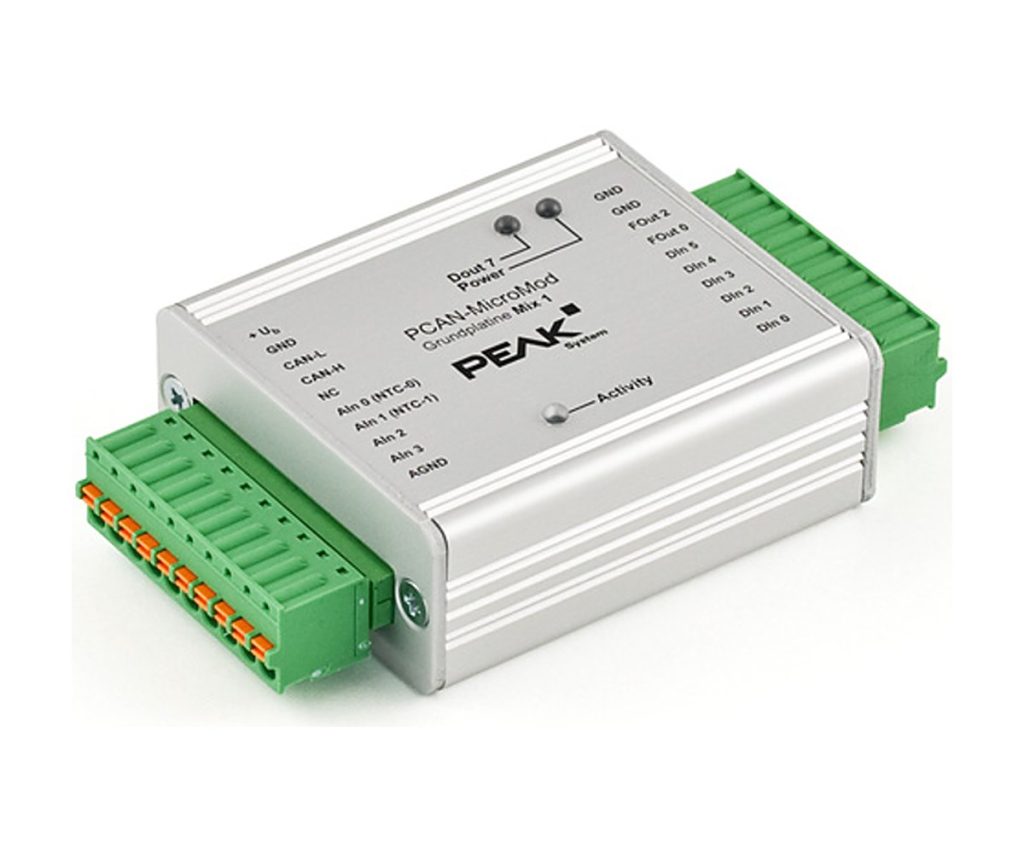
PCAN-MicroMod Mix 1 & 2
Mixed analog, digital and temperature I/O on a CAN bus
The Mix 1 and Mix 2 motherboards house a PCAN-MicroMod in an aluminium casing with spring terminals, protected I/O and a wide supply range. They combine analog and digital channels with temperature inputs for NTC sensors, and on Mix 2 also a PT1000.
Both are configured in the PCAN-MicroMod Configuration software over CAN, and CANopen firmware is available for them.
Highlights
- Analog inputs plus digital inputs with frequency-input option
- 2 temperature inputs, 0 to 70 C (NTC; Mix 2 also PT1000)
- Mix 1: 2 fast low-side digital/frequency outputs
- Mix 2: analog voltage output 0 to 10 V and current output 0 to 20 mA
- Aluminium casing with spring terminals, -40 to 85 C
Versions
- IPEH-002202: PCAN-MicroMod Mix 1: 2 analog inputs 0 to 5 V (10-bit, 1 kHz); 2 NTC inputs (EC95F103W); 6 digital inputs, 4 with frequency input; 2 fast low-side outputs (max. 55 V, 0.75 A); supply 8 to 26 V
- IPEH-002203: PCAN-MicroMod Mix 2: 3 analog inputs 0 to 4.1 V (10-bit, 1 kHz); 1 voltage output 0 to 10 V and 1 current output 0 to 20 mA (16-bit PWM); 2 digital inputs with frequency input; 1 fast low-side output; 1 NTC and 1 PT1000 input; supply 11 to 26 V
Key Specifications
| Spec | Value |
|---|---|
| Order numbers | IPEH-002202 (Mix 1), IPEH-002203 (Mix 2) |
| CAN | High-speed CAN (ISO 11898-2), CAN 2.0A and 2.0B, 10 kbit/s to 1 Mbit/s |
| Configuration | PCAN-MicroMod Configuration for Windows, sent over CAN |
| Temperature inputs | 2, measuring range 0 to 70 C |
| Digital inputs | Inverting Schmitt trigger, thresholds High 4.8 V and Low 1.2 V, low-pass |
| Supply | 8 to 26 V (Mix 1), 11 to 26 V (Mix 2) |
| Casing | Aluminium with spring terminals; DIN rail fixing optional |
| Operating temperature | -40 to 85 C |
In the Box
- PCAN-MicroMod motherboard in casing with mating connectors (Phoenix Contact FK-MCP 1,5/10-ST-3,81, 1851122), Mix 1 or Mix 2 as ordered
- PCAN-MicroMod plug-in module
- PCAN-MicroMod Configuration software for Windows
- Manual (PDF)
Setting up the module over CAN needs a PEAK CAN interface such as the PCAN-USB FD or the PCAN-USB.
For a board that brings out every PCAN-MicroMod I/O, see the PCAN-MicroMod Mix 3.
For quantities, lead time or a quote, contact Pertech.
