



4G LTE WiFi Router for CANsub and CANedge2 (Teltonika RUT200/RUT241)
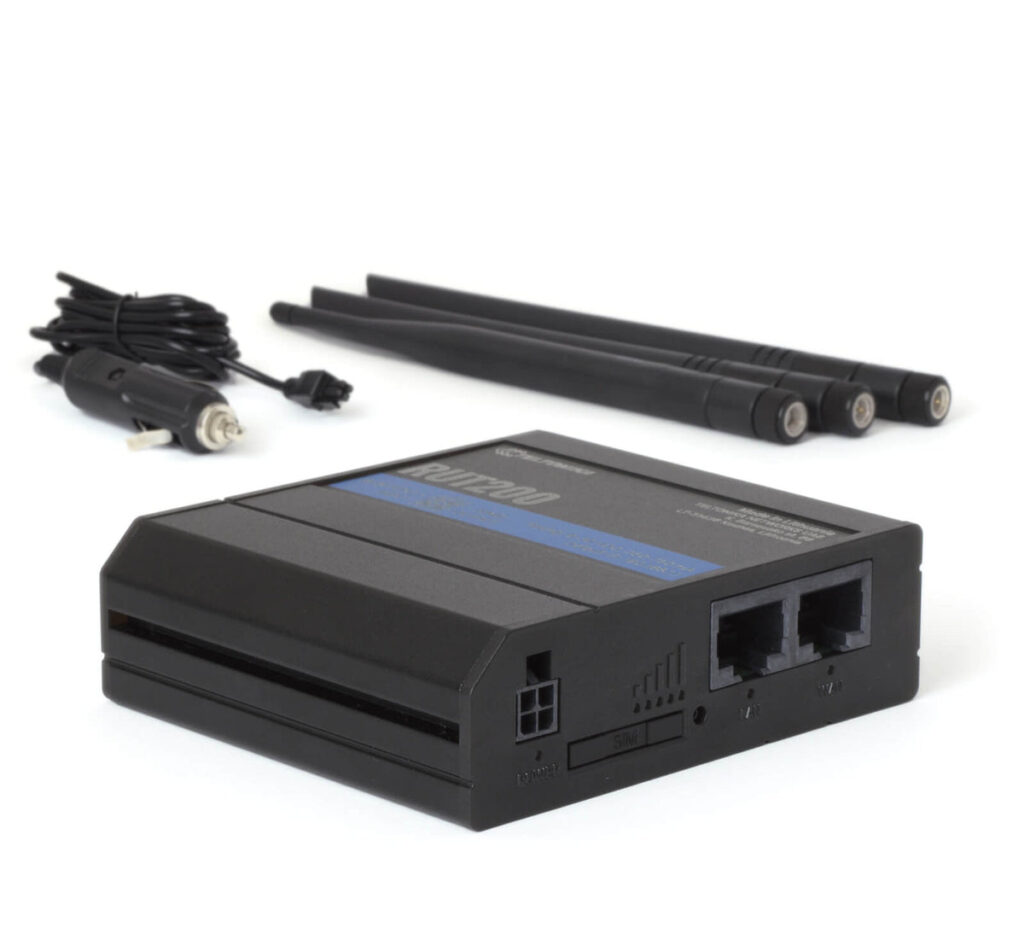
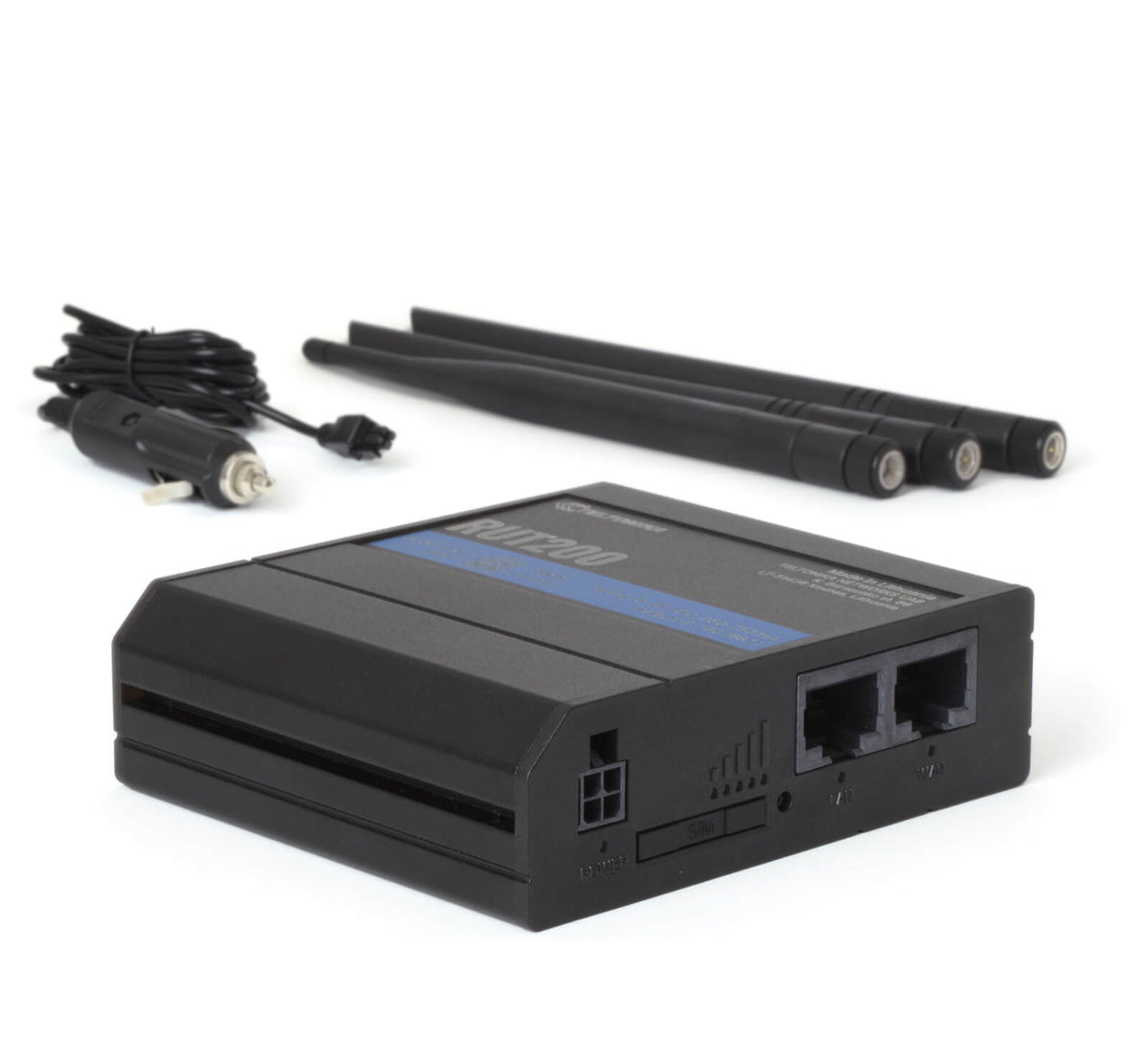
The Teltonika RUT200 is a compact industrial 4G LTE router with a WiFi access point and two Ethernet ports, running the Linux-based RutOS with built-in VPN support. CSS Electronics supplies it as an accessory for its CAN hardware. Connect a CANsub.2 or CANsub.4 by Ethernet and you can reach it wirelessly over WiFi, or from anywhere over LTE and a VPN. It can also act as a mobile WiFi access point for a CANedge2, and both devices can share one router.
The RUT200 covers Europe, Asia-Pacific and other regions; the RUT241 is the North American variant with the same housing, power input, WiFi, Ethernet and RutOS features. The router is unlocked and takes your own SIM and data plan. If your goal is simply to upload CANedge data over LTE, the CANedge3 has the modem built in and is usually the simpler choice.
Highlights
- 4G LTE Cat 4 with fallback to 3G and 2G; unlocked mini SIM slot
- WiFi 802.11b/g/n access point for up to 50 clients
- 1x LAN + 1x WAN Ethernet; WAN can be set as LAN to connect 2x CANsub
- VPN: WireGuard, OpenVPN, IPsec and more, on OpenWrt-based RutOS
- 9-30 V DC input; mains power supply and 12/24 V vehicle adapter included
- Aluminium housing, 83 x 25 x 74 mm, 125 g, DIN rail slots, -40 °C to +75 °C
- RUT200 for Europe/Asia-Pacific, RUT241 for North America
Where it earns its keep
- Wireless troubleshooting in the field: install a CANsub in the vehicle, connect it to the router and join the router’s WiFi from a laptop, tablet or phone. webCAN then streams, decodes and plots live data in the browser, without a cable to the operator’s cab. No SIM is needed. The manufacturer has demonstrated streaming from an electric car at more than 50 m
- Remote access over LTE and VPN: insert a SIM and set the router up as a WireGuard VPN client. The CANsub can then be reached via webCAN or its REST/WebSocket API from prototype vehicles, wind turbines or customer machines. Edge timestamps keep the timing accurate despite LTE latency
- Pulling selected log files: connect a CANedge2 with its web server interface enabled to the router’s WiFi. A technician on site, or an engineer over the VPN, browses the SD card and downloads only the files of interest while the logger keeps recording
- Blackbox plus live streaming: run a CANedge2 as a blackbox and a CANsub for live access on the same LTE connection, via WiFi and Ethernet respectively
Key Specifications
| Spec | Value |
|---|---|
| Manufacturer | Teltonika Networks (Lithuania) |
| Variants | RUT200 (Europe/Asia-Pacific), RUT241 (North America) |
| Mobile | 4G LTE Cat 4, fallback to 3G and 2G |
| Bands, RUT200 | LTE-FDD B1, B3, B5, B7, B8, B20, B28; LTE-TDD B38, B40, B41; 3G B1, B5, B8; 2G B3, B8 |
| Bands, RUT241 | LTE-FDD B2, B4, B5, B12, B13, B14, B66, B71; 3G B2, B4, B5; certified for Verizon, AT&T and T-Mobile |
| SIM | 1x mini SIM (2FF), external holder, unlocked |
| Mobile antennas | 2x SMA; 2x swivel LTE antennas (3 dBi) included |
| WiFi | IEEE 802.11b/g/n, 2.4 GHz, access point and station modes, up to 50 clients |
| WiFi security | WPA2-PSK, WPA2-Enterprise, WPA-PSK; hidden SSID, MAC access control |
| WiFi antenna | 1x RP-SMA; swivel antenna (5 dBi) included |
| Ethernet | 1x LAN + 1x WAN (RJ45), 10/100 Mbps; WAN configurable as LAN |
| Passive PoE | Powered via LAN1 (9-30 V DC passive PoE); not IEEE 802.3af/at compatible |
| VPN | WireGuard, OpenVPN, IPsec (IKEv1/IKEv2), GRE, PPTP, L2TP, Stunnel, SSTP, ZeroTier |
| Firewall | NAT, port forwarding, traffic rules, DMZ, DDoS and port scan prevention, VLAN separation |
| Management | HTTPS WebUI, SSH, JSON-RPC API, SNMP, MQTT; optional Teltonika RMS |
| Firmware | RutOS (OpenWrt-based Linux), shipped as stock firmware |
| Power input | 9-30 V DC, 4-pin industrial socket; reverse polarity and surge protection |
| Power consumption | Under 6.5 W max, typically 1-4 W |
| Digital I/O | 1x digital input, 1x open-collector output on the power connector |
| In the box | Router, 9 W universal power supply (EU, US, UK, AU plugs), 12/24 V vehicle power adapter (2 m), 2x LTE antennas, 1x WiFi antenna, quick start guide |
| Dimensions and weight | 83 x 25 x 74 mm (W x H x D, excl. antennas), 125 g |
| Mounting | Bottom and side DIN rail slots |
| Environment | -40 °C to +75 °C, 10-90% humidity non-condensing, IP30 (indoor or in-cab) |
| Compatibility | CANsub.2 and CANsub.4 via Ethernet; CANedge2 and CANedge2 GNSS via WiFi; any WiFi or LAN device |
Frequently asked questions
Does the router come pre-configured?
No. It ships with stock Teltonika RutOS and is set up in its web interface, with the login printed on the device label. WiFi access to a CANsub needs nothing beyond joining the router’s WiFi. For remote LTE access, CSS Electronics provides scripts that deploy a VPN server and configure the router as a VPN client. For a CANedge2, add the router’s WiFi name and password to the logger configuration.
Which SIM card do I need?
A standard mini SIM (2FF) data SIM from any provider, since the router is unlocked. Check that your provider’s frequency bands match the router variant, and test the SIM in the router well before a field deployment. If the SIM has a PIN, disable it or enter it in the web interface so the router reconnects after a power cycle.
Should I use this router with a CANedge2, or choose a CANedge3?
If you only want to upload log files over LTE to your server, the CANedge3 is simpler because the modem is built in. The router makes sense when you need the CANedge2 web server interface for selective file pulls over VPN, want to share one LTE connection between several devices, or combine a CANedge2 with a CANsub for live streaming.
Need a quote or help choosing the right setup? Contact Pertech, the authorized CSS Electronics distributor in Israel.
