




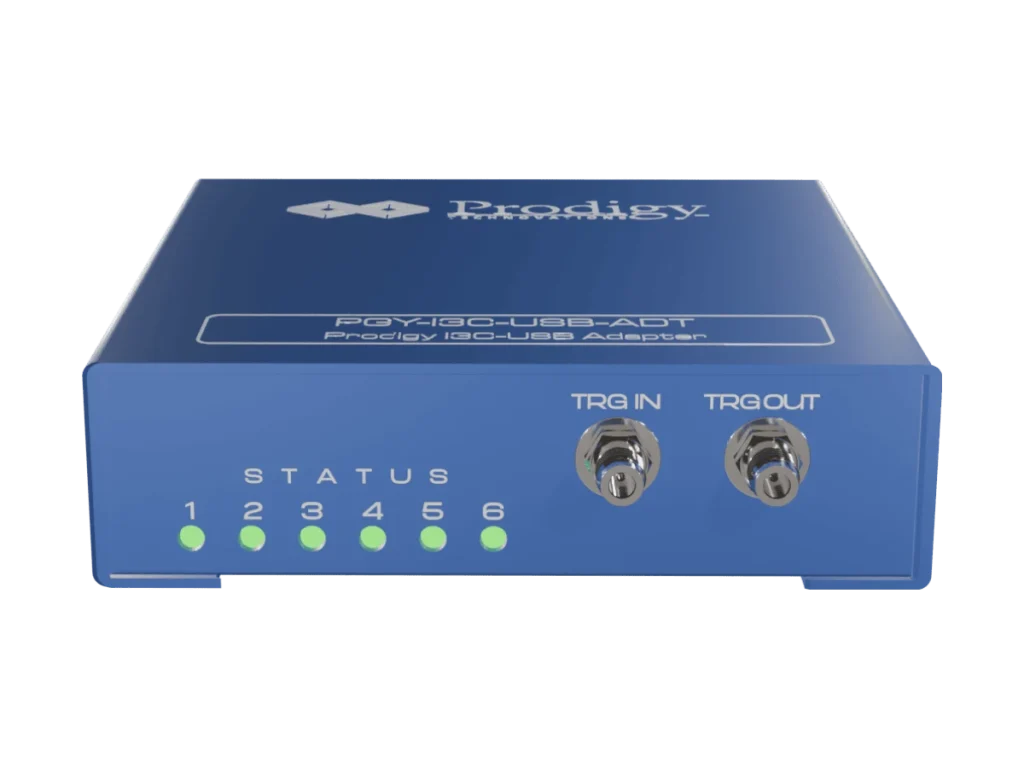
The Prodigy I3C USB Adapter (PGY-I3C-USB-ADT) puts an I3C bus under the control of your own software. Configuring a controller or target, generating I3C and I2C traffic, monitoring the bus and producing reports are all available through a high-level API on Windows and Linux, so the adapter drops straight into test scripts and production stations. Prodigy positions it as its I3C production test solution, at about a fifth of the price of its full I3C analyzer. Pertech is the authorized Prodigy distributor.
I3C USB Adapter highlights
- Full API access for third-party applications, with Python support on Windows and Linux
- One controller and one target, with custom I3C and I2C traffic generation and real-world traffic simulation
- SCL up to 12.5 MHz, at fixed I/O levels of 1.0, 1.2, 1.8, 2.5 and 3.3 V
- Clock-to-data delay (tCO) adjustable in 10 ns steps, and adjustable delay between messages
- All Common Command Codes (CCCs) on the controller side, per I3C v1.0
- Bus monitoring at 4 ns resolution with continuous streaming to the host disk
- Error reporting for S0 to S5 errors, CRC errors in HDR-DDR, ACK and NACK errors and controller abort
Where the I3C USB Adapter earns its keep
- Production test stations that program, configure or check I3C devices from a script
- Automated regression testing of I3C firmware on Windows or Linux
- Labs that need a scriptable I3C controller and target on a limited budget
What’s in the box
- PGY-I3C-USB-ADT unit
- USB 3.0 cable
- Flying-lead probe cables with female connectors for the device under test
- PGY-I3C-USB-ADT software
Choosing between Prodigy’s I3C tools
The full analyzer is Prodigy’s performance option for silicon validation, the I3C Lite covers development and field work, and the USB Adapter is built for scripted production test.
Prodigy I3C tools compared
| Feature | PGY-I3C-EX-PD | PGY-I3C-Lite | PGY-I3C-USB-ADT |
|---|---|---|---|
| Configuration | 1 controller + 3 targets | 1 controller + 1 target | 1 controller + 1 target |
| I/O voltage | 0.9 to 3.4 V, adjustable | Fixed 1.0, 1.2, 1.8, 2.5, 3.3 V | Fixed 1.0, 1.2, 1.8, 2.5, 3.3 V |
| Error injection | Yes | No | No |
| Hardware protocol-aware trigger | Yes | Yes | No |
| I3C conformance test suite | Yes | No | No |
| API | Python and C++ | Optional (Python) | Yes, Windows and Linux |
| Typical use | Post-silicon validation, pre-silicon traffic generation | Firmware development, field and application engineering | Production test |
| Relative price (Prodigy) | X | 0.5X | 0.2X |
Key Specifications
| Spec | Value |
|---|---|
| Model | PGY-I3C-USB-ADT |
| I3C specification | v1.0 |
| Configuration | 1 controller + 1 target |
| Traffic generation | Custom I3C and I2C, real-world traffic simulation |
| SCL frequency | Up to 12.5 MHz |
| I/O voltage | Fixed 1.0, 1.2, 1.8, 2.5, 3.3 V |
| Monitoring resolution | 4 ns |
| Capture | Continuous streaming to host HDD or SSD |
| API | Python; Windows and Linux |
| Host connection | USB 2.0/3.0 |
Frequently asked questions
What is an I3C USB adapter?
It connects a computer to an I3C bus so software can generate, monitor and control I3C communication. The Prodigy PGY-I3C-USB-ADT exposes all of its functions through an API, which makes it suited to test scripts and production stations.
Which operating systems and languages are supported?
The API runs on Windows and Linux, with Python support, so third-party applications and test frameworks can drive the adapter directly.
Which I3C specification version does it support?
The I3C USB Adapter supports the I3C v1.0 specification, with all Common Command Codes on the controller side.
How is it different from the Prodigy I3C Lite?
Both offer one controller and one target and the same traffic generation. The I3C Lite is a bench and field tool with a GUI and hardware protocol triggers; the USB Adapter is the API-first option for automated and production test, at about 40 percent of the Lite’s price.
Where can I buy the Prodigy I3C USB Adapter in Israel?
Pertech is the authorized Prodigy distributor. Contact Pertech for a quote or a demo.
Related Prodigy products at Pertech
- I3C Protocol Exerciser and Analyzer (PGY-I3C-EX-PD)
- I3C Protocol Exerciser and Analyzer Lite (PGY-I3C-Lite)
- I3C Electrical Validation Software for oscilloscopes
- Prodigy protocol analyzers at Pertech
Automating I3C test? Contact Pertech for a quote, a demo or help integrating the adapter into your test station.
